Replacement volume control for Windows
Volume² - advanced Windows volume control is a premium utility program for PC from developer Alexandr Irza. It is an alternative volume controller for the built-in control scheme in Windows. It offers extensive adjustment parameters for more granular control, and it even has themeable sliders, meters, or gauges for a different look.
Top Recommended Alternative

Similar in concept to apps like Volume Control for Windows or Sound Control, Volume² - advanced Windows volume control aims to enhance the user experience by offering added functionality that goes beyond controlling the volume. It also supports hotkey assignment to make controls and triggers faster and more convenient from the desktop home screen.
Enhanced and expanded
In a nutshell, Volume² is a reimagining of the volume control scheme that’s built into Windows. It aims to serve as a more advanced implementation that provides more granular adjustments. It does this while retaining a familiar, intuitive user experience and seamlessly integrating with the operating system, so you don’t have to learn anything new and use it like normal.
One of the ways that Volume² improves the experience is by supporting quick hotkeys. It seems simple enough, but it opens up plenty of possibilities to trigger actions or make adjustments from anywhere. Some of them include channel balance, enabling media controls, and even brightness levels. You can even set schedules to have the volume at a certain level during specific times.
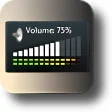
You can also move your mouse cursor to the edge of your screen to adjust volume. As mentioned earlier, there are themes to add a bit more flair to the standard volume meter, and there’s a diverse selection of styles available, from retro gauges to metal knobs and column bars. One feature that it lacks but can be added in the future would be per-app volume adjustment options.
A compelling alternative
Overall, if you’re a Windows user and find the native volume control function too simplistic and lacking, Volume² - advanced Windows volume control is a great alternative that packs plenty of features and offers a familiar user experience. The ability to change themes is also a nice bonus that many will appreciate. Check it out now and see how it fares for yourself.